The family calendar,
on the kitchen wall.
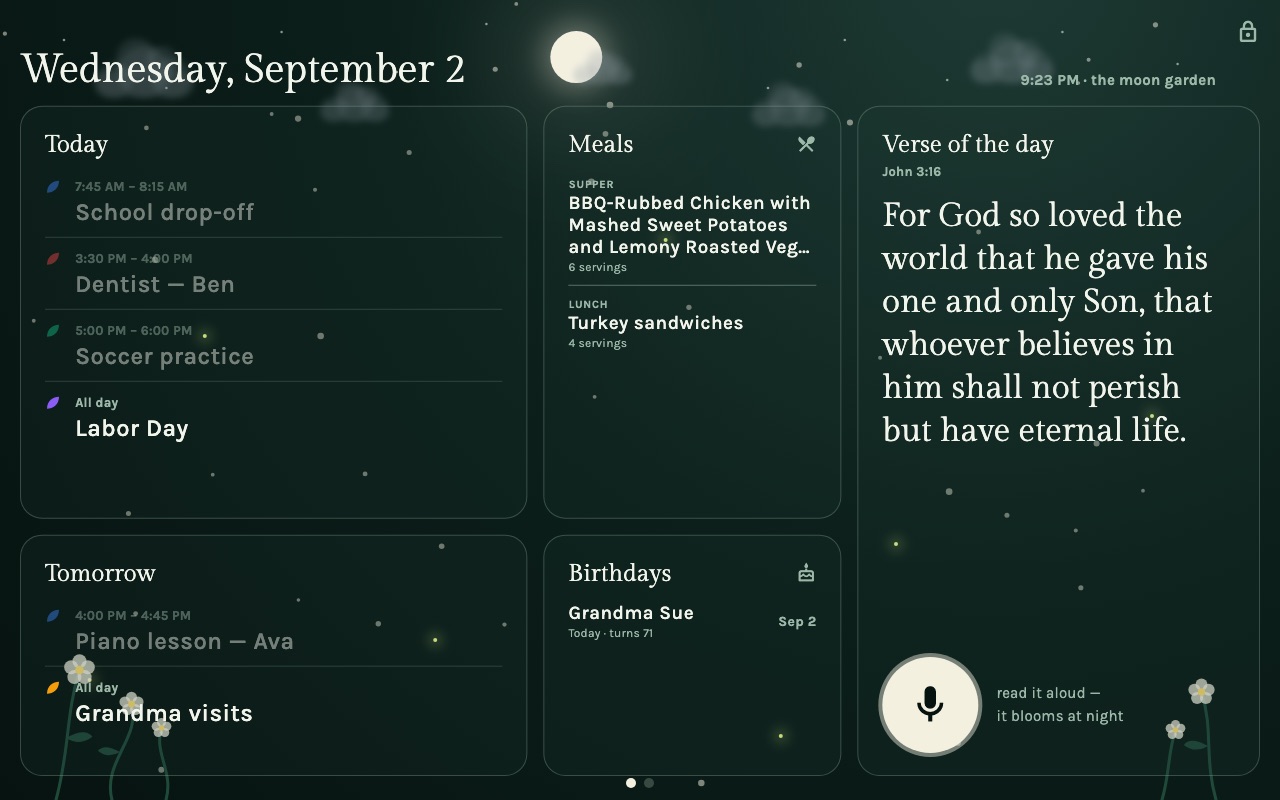
FamilyDash turns a spare tablet into the screen the household actually looks at: what's on today, whose turn the chores are, what's for supper, and whose birthday is coming. Each household's dashboard runs on a server of its own.
What it shows
The household chooses which panels appear and where they sit. A panel can hold more than one thing and rotate between them through the day, so a small screen still carries a lot.
- Calendar Today and tomorrow, drawn from the family's Google calendars.
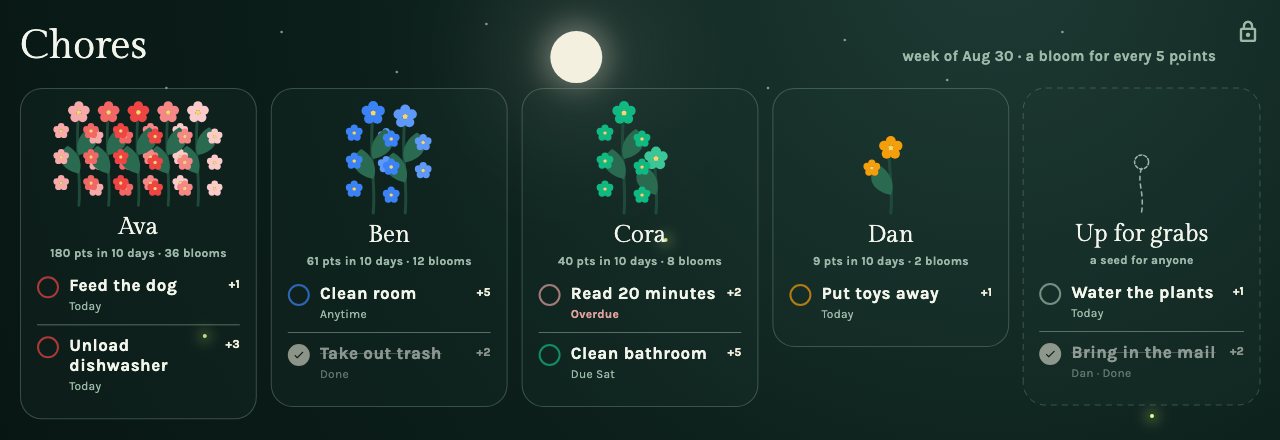
- Chores Who owes what, and the points they earn.
- Meals Tonight's supper, and tomorrow's once the evening comes.
- Birthdays Who is next, and who is remembered.
- Weather Now and the week, for as many places as you like.
- Verse A verse to read aloud, which the tablet listens for.
- Photos Pictures from the family's own Google Photos albums.
- Odds and ends A joke, a riddle, a word, a board game to try.
Behind the panels the sky keeps real time. It brightens at dawn, clouds over when rain is due, and goes dark at night. When the room itself goes dark the screen dims to a quiet clock, so it doesn't light the hallway at two in the morning.
What it uses from your Google account
Connecting a Google account is optional, and a parent can disconnect it at any time from the tablet. FamilyDash asks for as little as it can, and only ever reads.
- Your calendars, read-only
- Used for one thing: reading upcoming events so they can appear on the wall. FamilyDash never creates, edits or deletes anything in a calendar. Events are fetched when the screen refreshes and cached briefly on the family's own server so the display survives a dropped connection.
- Your chosen Google Photos albums
- Used to show the family's own pictures between the other panels. You pick which albums in the Google Photos app on your phone; FamilyDash sees only what you pick. Photos are streamed for display and never stored, copied or uploaded. This panel is waiting on Google's approval and is switched off until then.
FamilyDash's use of information received from Google APIs follows the Google API Services User Data Policy, including the Limited Use requirements. Google data is never sold, never used for advertising, and never shared outside the household.
Where the data lives
Each household's information stays in that household's own installation, in its own database, walled off from every other. It is never sold, never used for advertising, and never shared with anyone outside the household. There is no analytics and no ad tracking anywhere in the app.
Children have no accounts and no way to send information anywhere. A parent enters their first names and their chores, and that is all the app knows about them.
You can run FamilyDash on hardware you own, or have an installation run for you. Either way it stays one household's dashboard, not a shared directory of families.